
A professional email should help the recipient understand three things: why you are writing, what they need to know, and what should happen next. Formal language alone will not make an unclear request useful.
Start with the structure below. The names, projects, and dates in the examples are fictional; replace them with your own facts before sending.
A simple professional email structure
- Subject: identify the topic and, when useful, the action needed.
- Greeting: address the person appropriately for your relationship.
- Purpose: explain why you are writing in the opening sentence.
- Context: include only the details needed to respond.
- Next step: ask one clear question or explain the action you need.
- Sign-off: finish courteously and include your name.
You do not need six separate paragraphs. A short email can cover the same structure in a few sentences.
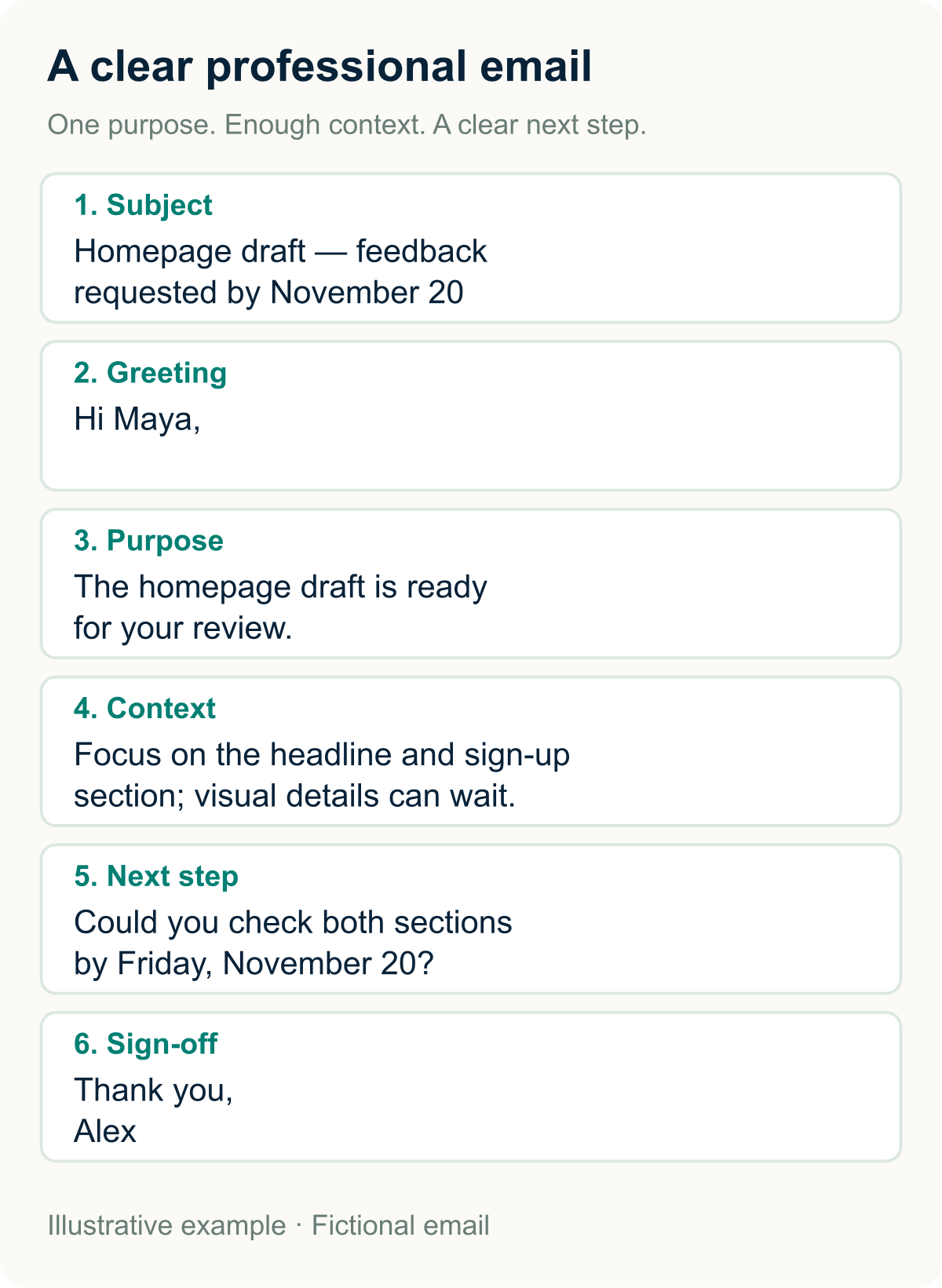
Illustration — A fictional email, annotated to show its structure. Adapt the details to your own situation.
Write a subject that helps the recipient act
Compare these two subjects:
- Vague: Quick question
- Specific: Homepage draft — feedback requested by November 20
The specific version tells the recipient what the message concerns and why it matters. Only include a deadline when there is a real reason for it. Avoid adding “urgent” just to attract attention.
When replying to an existing thread, keep the subject if the conversation still covers the same topic. Start a new thread when the topic changes substantially.
Example 1: Make a clear request
Subject: Homepage draft — feedback requested by November 20
Hi Maya,
The homepage draft is ready for your review. Could you check the headline and sign-up section by Friday, November 20?
I’m looking for feedback on whether the message is clear. We can review the visual details separately.
Thank you, Alex
This message names the material, narrows the review, and gives a specific next step. It does not ask the recipient to guess what “take a look” means.
Before sending, add the actual draft link or attachment. Do not rely on a sentence saying “attached” as proof that the file is there.
Keep context useful and easy to scan
Include enough background to make the request understandable without retelling the whole project. If the recipient needs several facts, use a short list.
For example:
For the workshop, we need to confirm:
- the final attendee count;
- whether the room has a projector;
- who will share the slides afterward.
If you are requesting several unrelated decisions, consider separate messages. If the issue needs a long discussion, propose a call and use email to share the agenda or record the decision.
Example 2: Follow up without adding pressure
Subject: Re: Homepage draft — feedback requested by November 20
Hi Maya,
I’m following up on the homepage draft I shared on Tuesday. Have you had a chance to review the headline and sign-up section?
If Friday no longer works, please suggest a time that does.
Thanks, Alex
A useful follow-up briefly identifies the earlier request and makes it easy to respond. It does not need guilt, repeated urgency, or an invented consequence.
Choose the timing based on the agreement and the situation. There is no single follow-up interval that fits every workplace or relationship.
Example 3: Answer the question before adding detail
Subject: Re: Homepage review
Hi Alex,
Yes, I can review both sections by Friday afternoon.
Please send the latest draft link so I can make sure I’m commenting on the correct version.
Best, Maya
The answer comes first, followed by the one missing detail needed to act. Only promise a deadline you can meet. If you cannot commit yet, say what you need to confirm and when you can respond.
Choose a tone that fits the relationship
“Professional” does not have to mean distant. Use direct, courteous language and words you would normally use with that person.
- Replace “Please be advised that the document is available” with “The document is ready for review.”
- Replace “I was just wondering if perhaps you might…” with a clear question.
- Keep a brief thank-you when it is appropriate; avoid several sentences of apology before an ordinary request.
Read a sensitive message once from the recipient’s perspective. If a sentence could sound accusatory, describe the situation and the help you need rather than guessing the other person’s intentions.
Check these details before sending
- Recipient and CC: is each person meant to receive this information?
- Subject: does it still match the message?
- Request: can the recipient tell what to do next?
- Facts: are names, dates, links, and commitments correct?
- Attachments: are the right files actually attached?
- Privacy: have you removed information the recipient does not need?
An AI draft can help with structure and wording, but it cannot verify an attachment or decide whether a promise is appropriate for you. If you want help turning notes into a first draft, follow how to write an email with AI in Chrome. Review the result and send it yourself.